Replace missing properties
Admin only feature
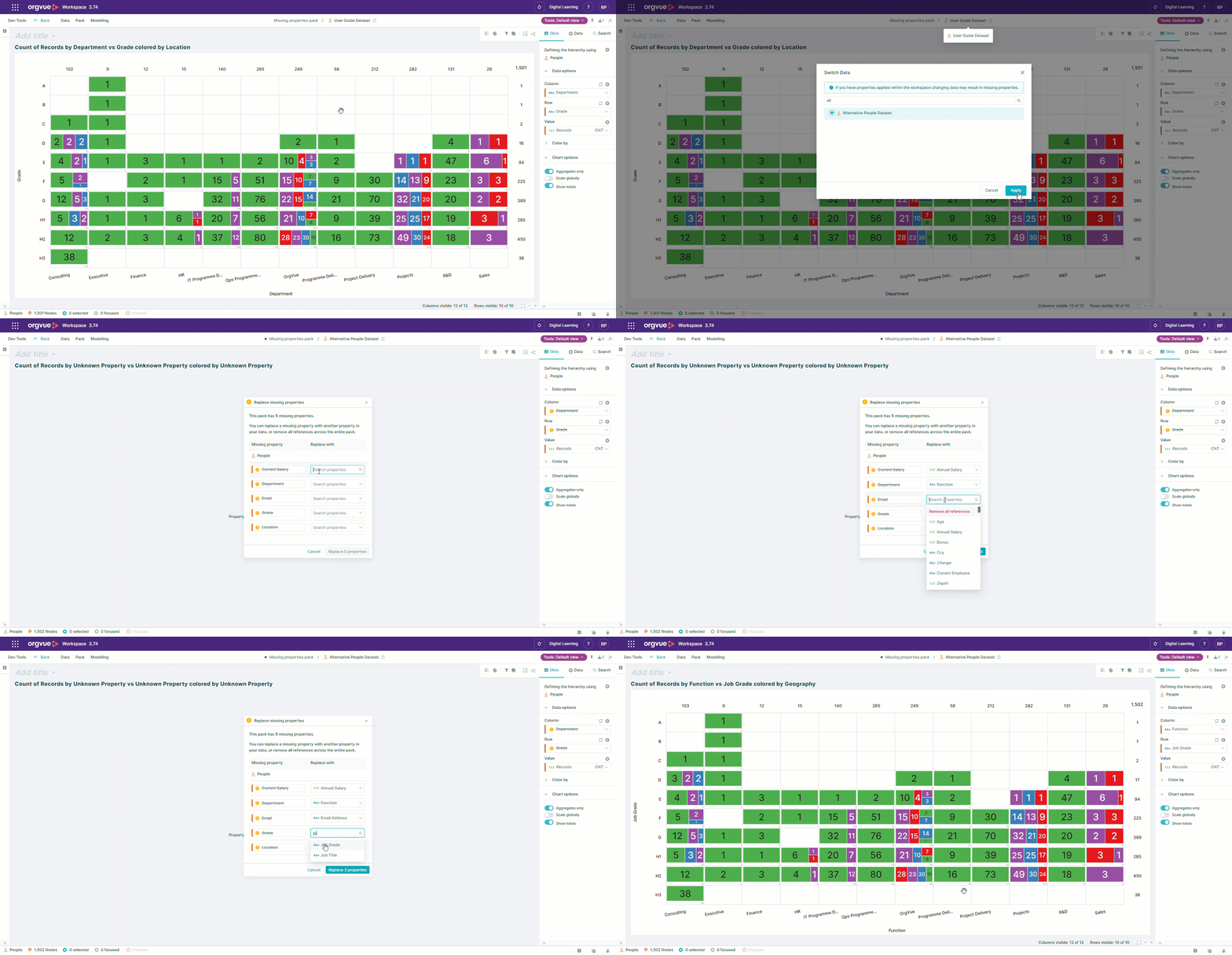
When using the header bar to perform Dataset Switching any properties used in the pack that do not appear in the dataset being switched to, will be highlighted
The option on the Pack Menu to Replace missing properties will enable an admin to update all properties being used in the pack that do not exist in selected dataset
info
When switching datasets used with a Template Pack it is not possible to replace properties that have been mapped to the pack calculations or Alternative Keys See Editing Template Pack Mapping
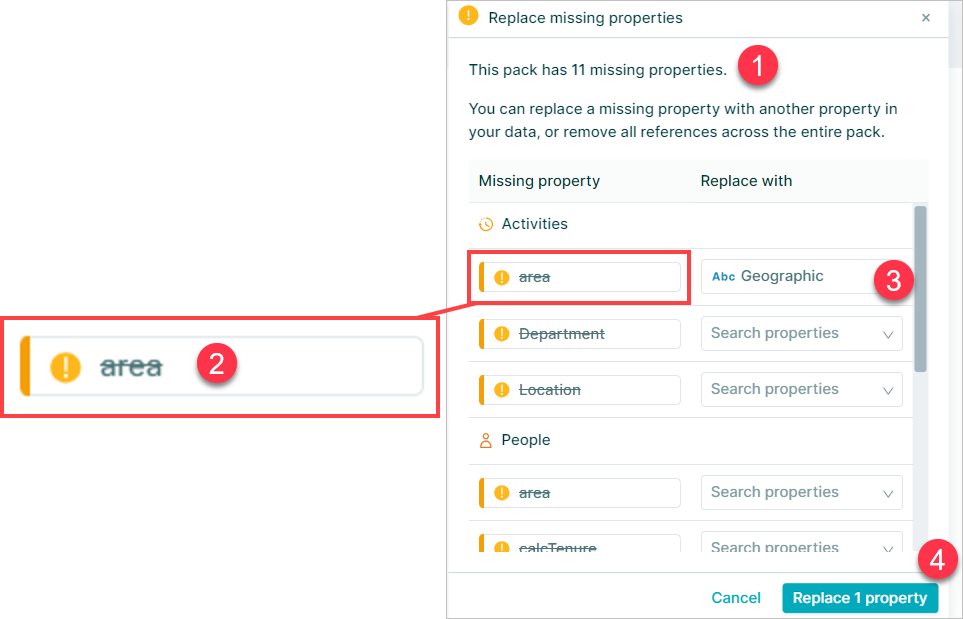
Selecting the Replace missing properties option on the Pack Menu will open a dialogue which will show
- The total number of properties missing that are used in the pack
- Each missing property will be listed with the warning and the missing property display name shown with a strikethrough
- A property selection box allows a replacement property from new dataset to be selected
- Once all selections are made the changes can be applied using the
Replace x propertybutton