Henshaw Roles
The first release of Henshaw Roles will enable you to create role clusters from your position data in minutes.
Accelerating succession planning, SWP and skills initiatives by auto-generating role clusters to unblock planning for organizations without existing role data
View the Orgvue AI Security Overview in the Orgvue Trust Centre
Henshaw Roles is not designed to process personal data. Do not input any personal information. Be aware that outputs generated by Henshaw may contain inaccuracies, so always verify the results.
What is a Role Cluster
Role clusters are groups of roles or positions that represent an organizational capability, defined by the work it enables.
Many organizations do not have this detail within their data and the process of manually creating them can take significant effort
This initial Henshaw release will enable you to use existing position titles to create role clusters using the power of Henshaw AI
Prerequisites
Henshaw Roles is designed to work with either Positions or Roles dataset types and only these will be shown as available to select
To Run Henshaw roles requires the
Run Henshaw Roles
To use the feature:
- Select the Henshaw option from Home
- Select the
Run Henshaw Rolesbutton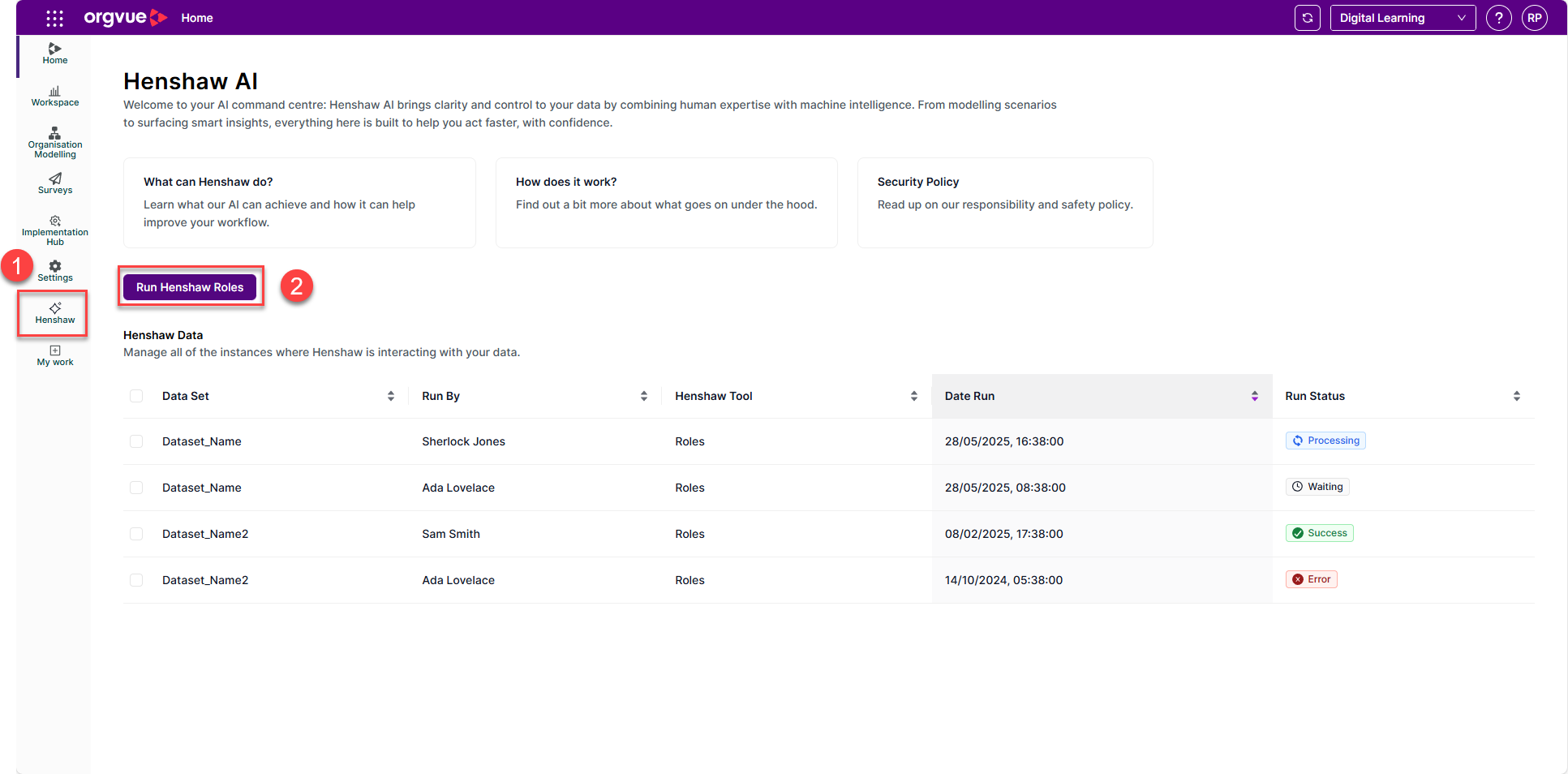
- Select the source dataset to enrich with Henshaw roles. Only Positions or Roles datasets that you have access to, will be shown
- Select
Next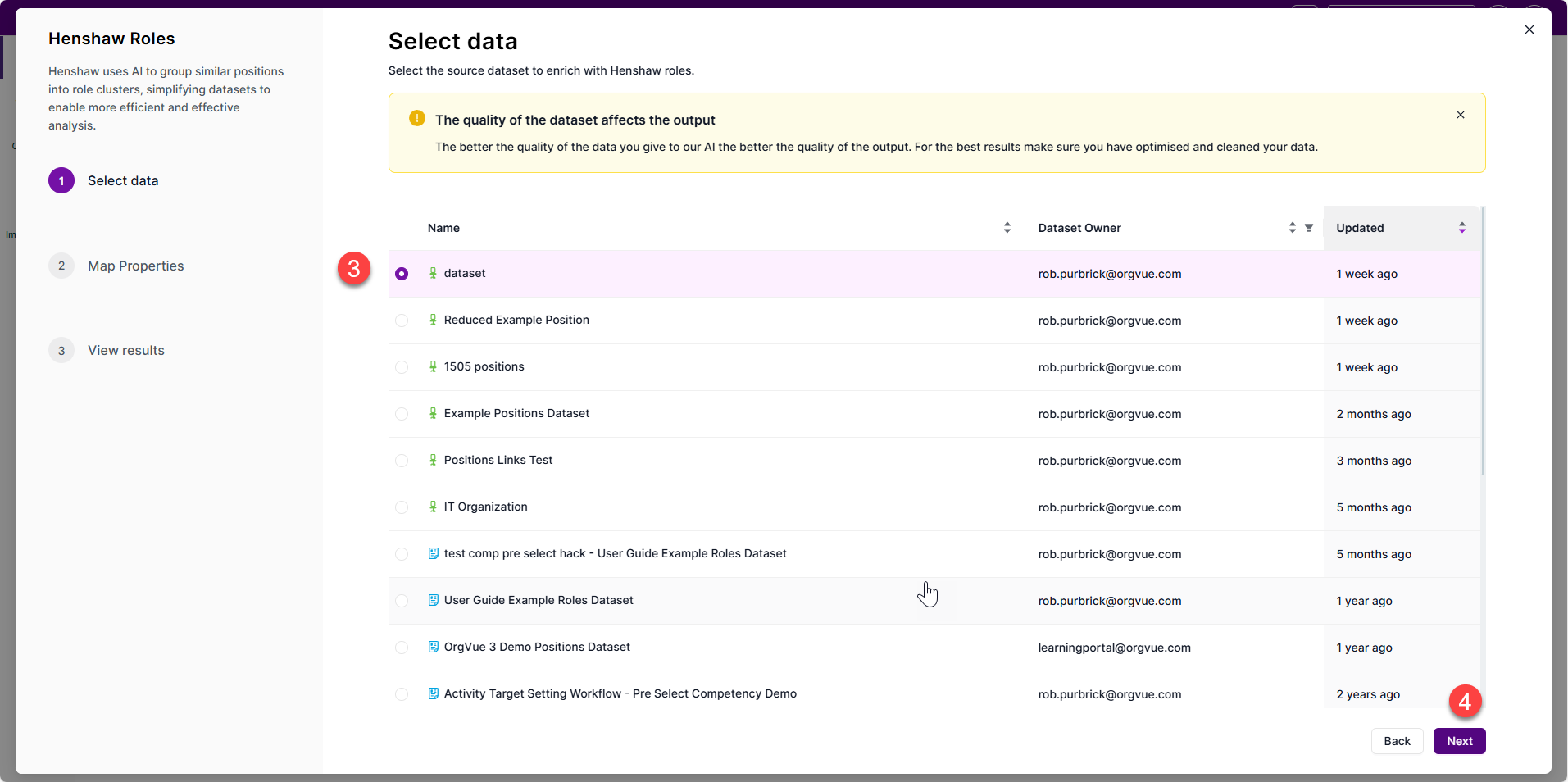
- Select the input property, normally Position or Role title. This can also be an enriched property with more info but should not contain any personal information.
- Select
Run Henshawto let Henshaw create your role clusters of the optimal granularity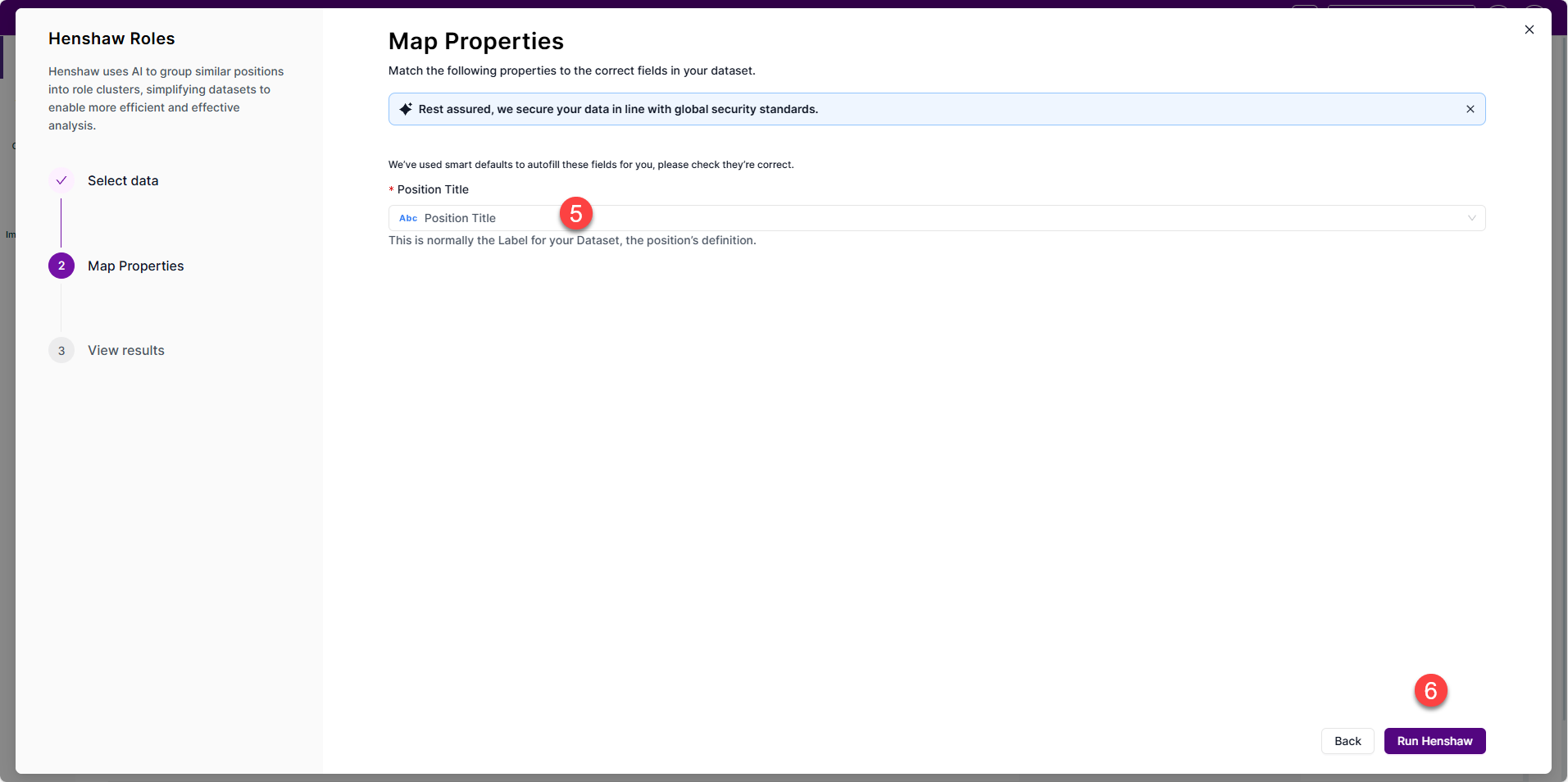
- Review the outputs and choose whether to save them
- Open the input dataset with the Henshaw Roles pack to review the output
To use this Early Access feature, reach out to your CSM or Orgvue Support
Reviewing Henshaw Roles Output
In this first phase, Orgvue will also deploy the Henshaw Roles pack to your tenant.
This allows you to refine the AI outputs, to ensure accuracy.
Henshaw Roles Pack
Open the pack in Workspace using the dataset that you have already run the Henshaw Roles process for.
The pack contains 8 slides
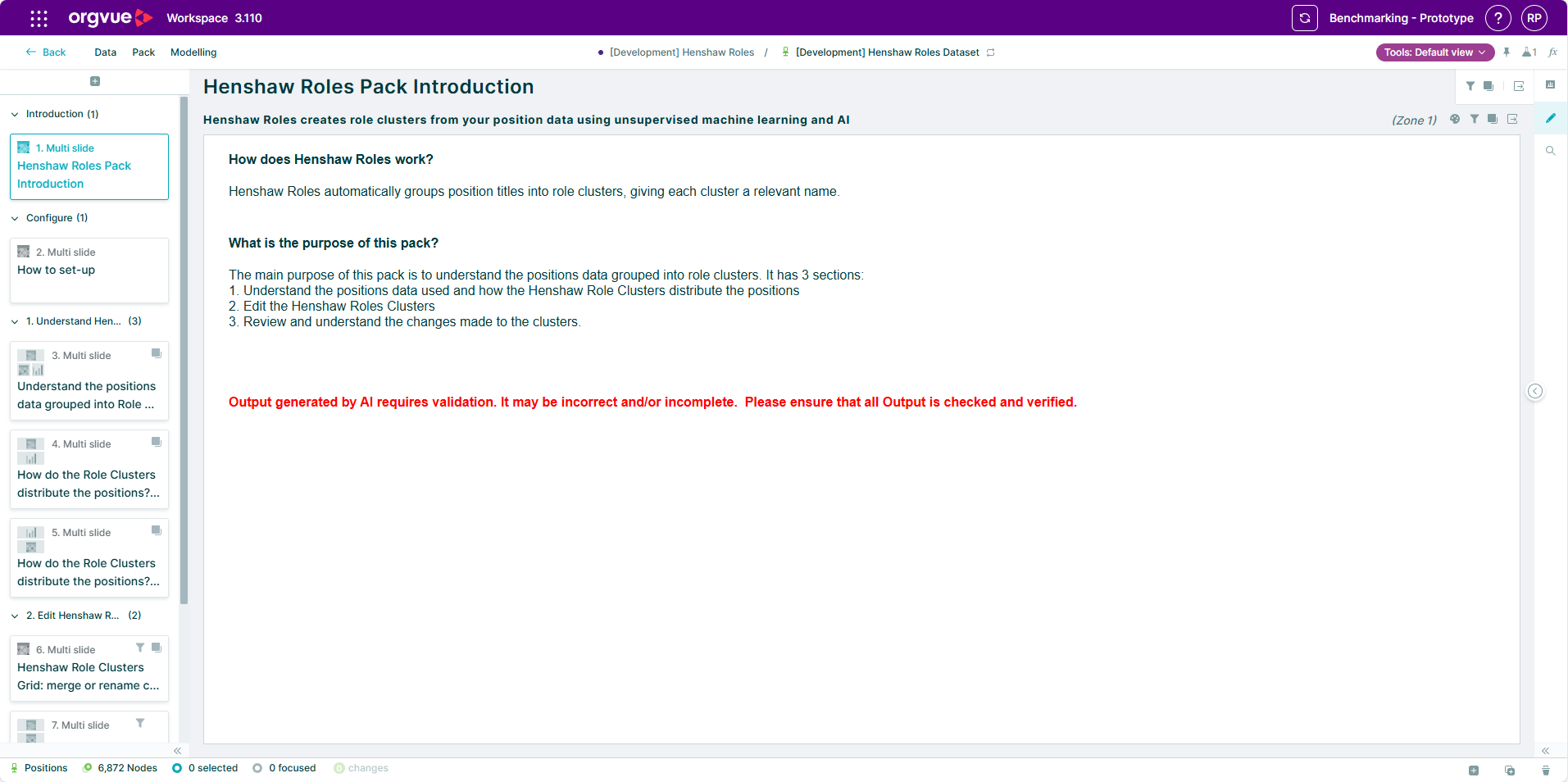
Henshaw Roles Pack Introduction
The main purpose of this pack is to understand the positions data that has been grouped into role clusters and to enable you to edit the Henshaw Role Clusters
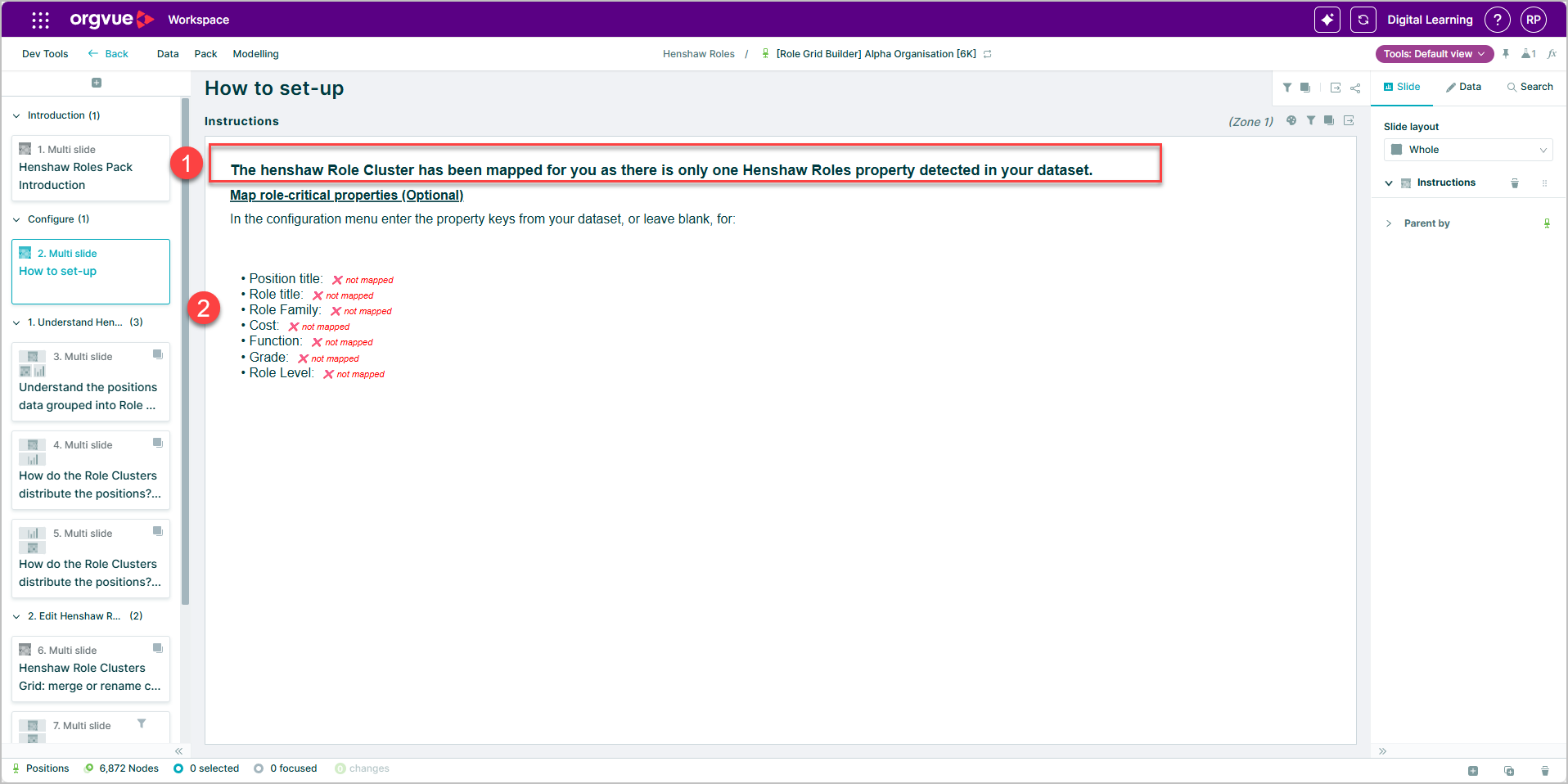
How to set-up
This slide contains instructions for setting up the pack
- The pack is automatically mapped to the latest Henshaw Roles property found in your dataset (if more than one is present) but this may be changed to another available Henshaw Role cluster if required
- Optional properties within your dataset can be mapped to provide additional insight
To map optional properties or edit properties previously mapped:
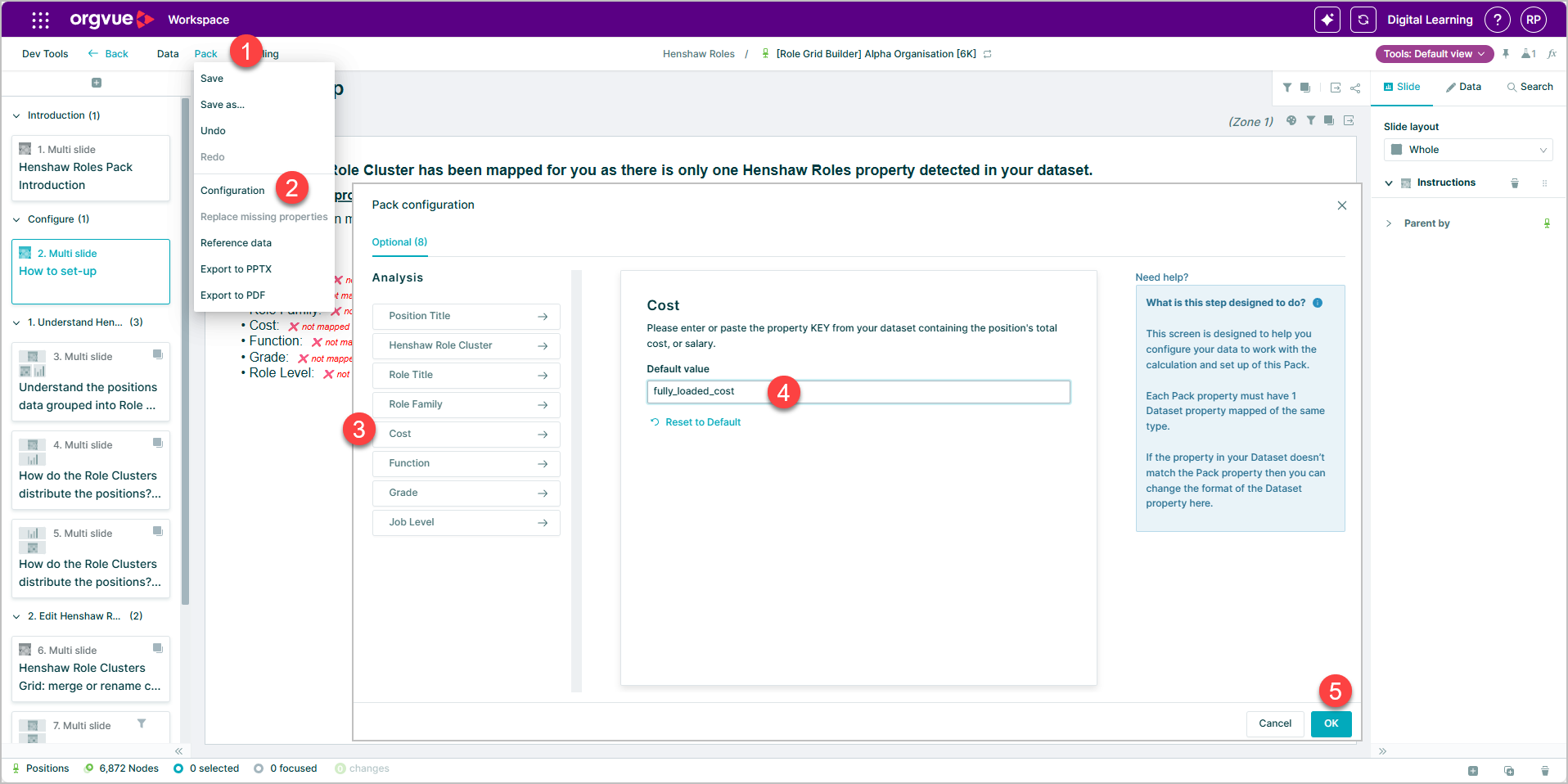
- Select
Packon the menu bar - Select
Configurationoption - Select the mapping option that you wish to edit
- Enter the Property Key of the property you wish to map in the
Default valuefield - Select
OKto complete the mapping
No optional properties will be automatically mapped. Selecting the Reset to Default option will clear any mapped values.
To ensure correct property keys are used they may be copied from the property manager and pasted into mapping screen
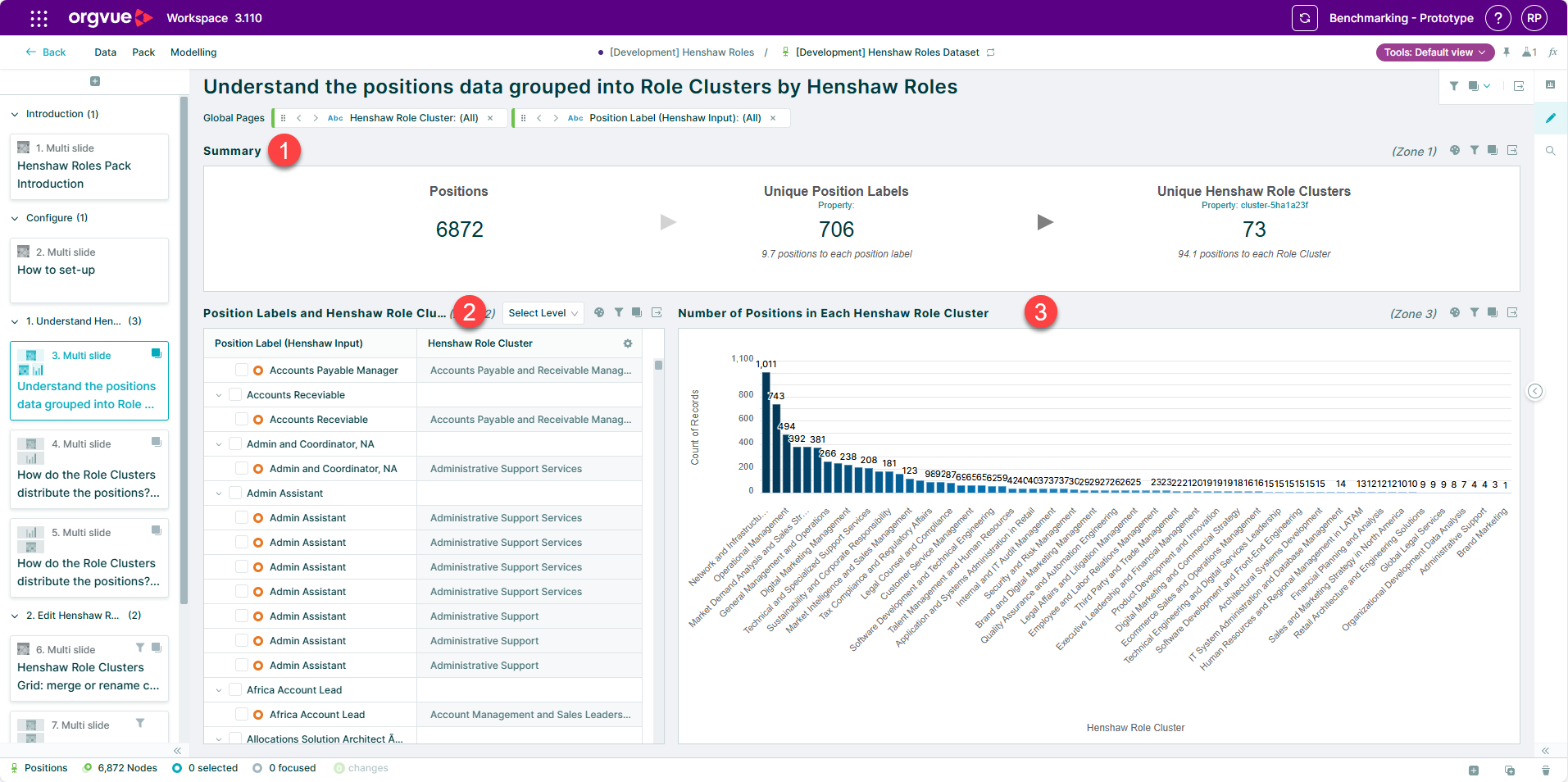
Understand the positions data grouped into Role Clusters by Henshaw Roles
This slide is split into three sections and allows you to understand how Henshaw has grouped your position data into role clusters
- Provides a summary of the total number of positions in the dataset, the number of unique position titles and the number of Henshaw Role Clusters
- Shows a list of position titles and the corresponding Role Cluster assigned by Henshaw
- A bar chart showing the number of positions in each role cluster
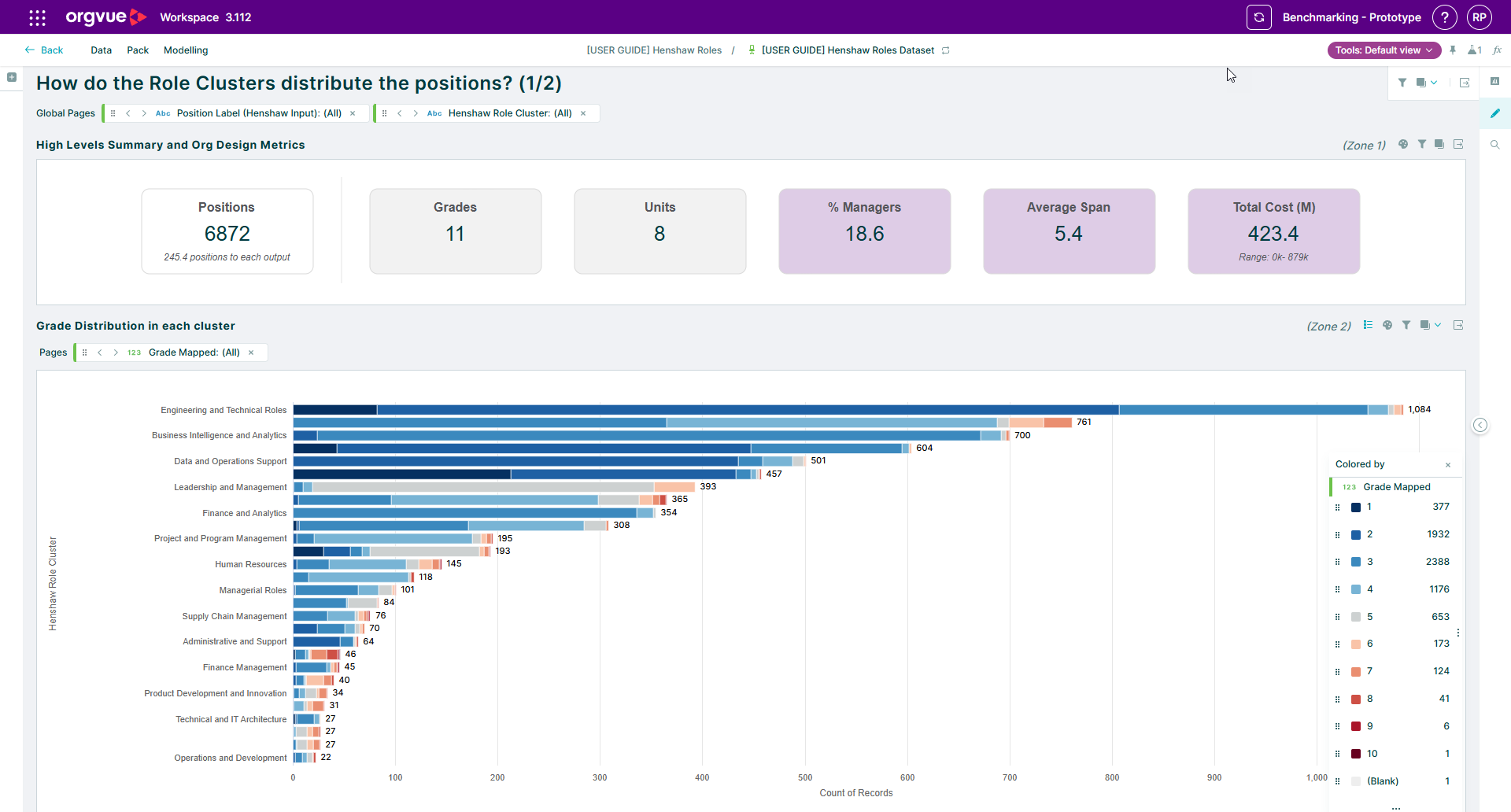
How do the Role Clusters distribute the positions? (1/2)
This slide provides a high level summary of org design metrics and a bar chart showing the distribution of grades in each Role Cluster
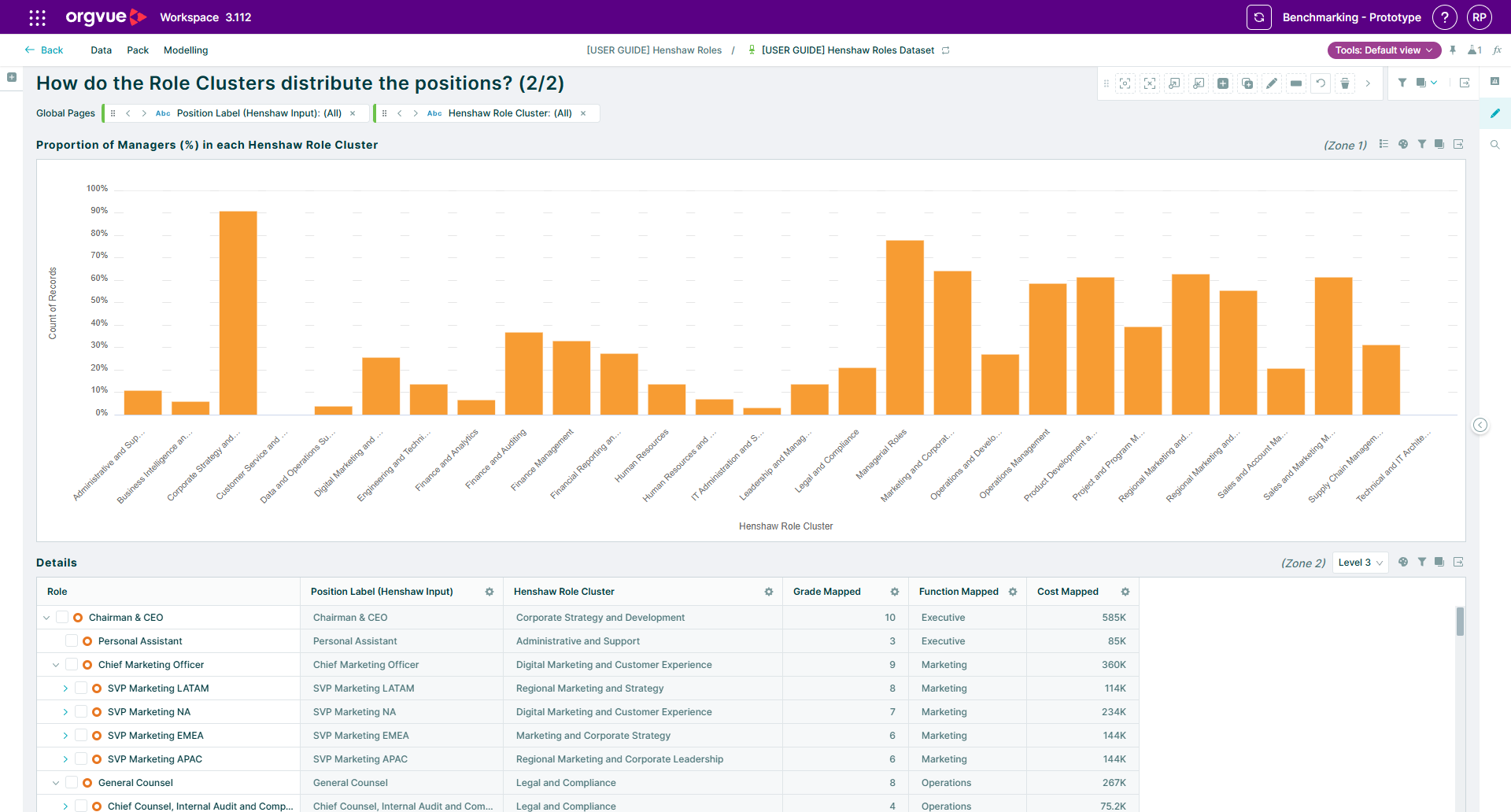
How do the Role Clusters distribute the positions? (2/2)
Shown on this slide is a breakdown showing the percentage of managers in each Role Cluster
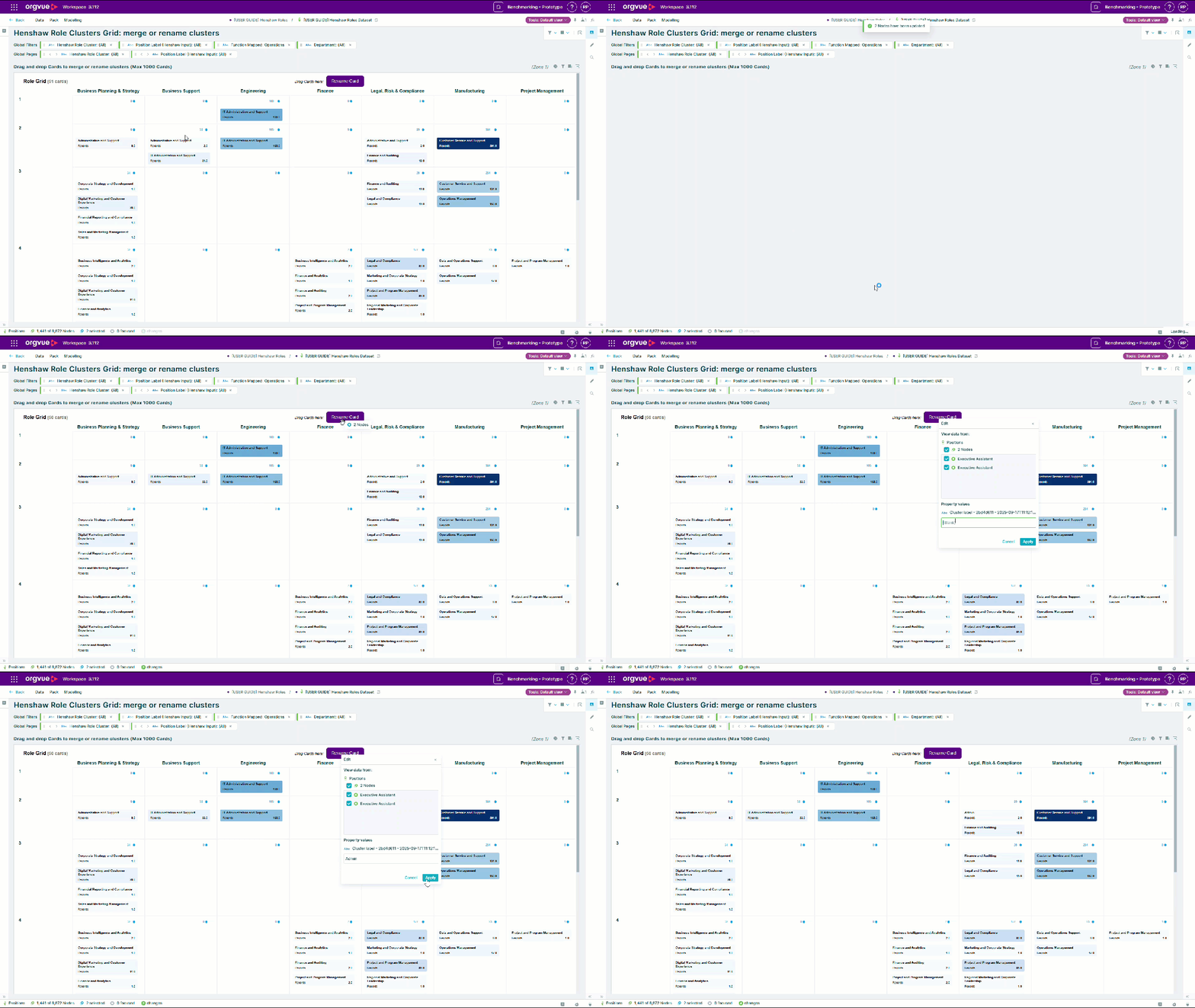
Henshaw Role Clusters Grid: merge or rename clusters
The grid shows how role clusters are distributed between Grade and Job Family
Use this slide to merge or rename role clusters using drag and drop
Move Positions between Henshaw Role Clusters or Split Clusters
With this slide you can move positions between Role Clusters or drag positions onto the Rename Card button to split clusters
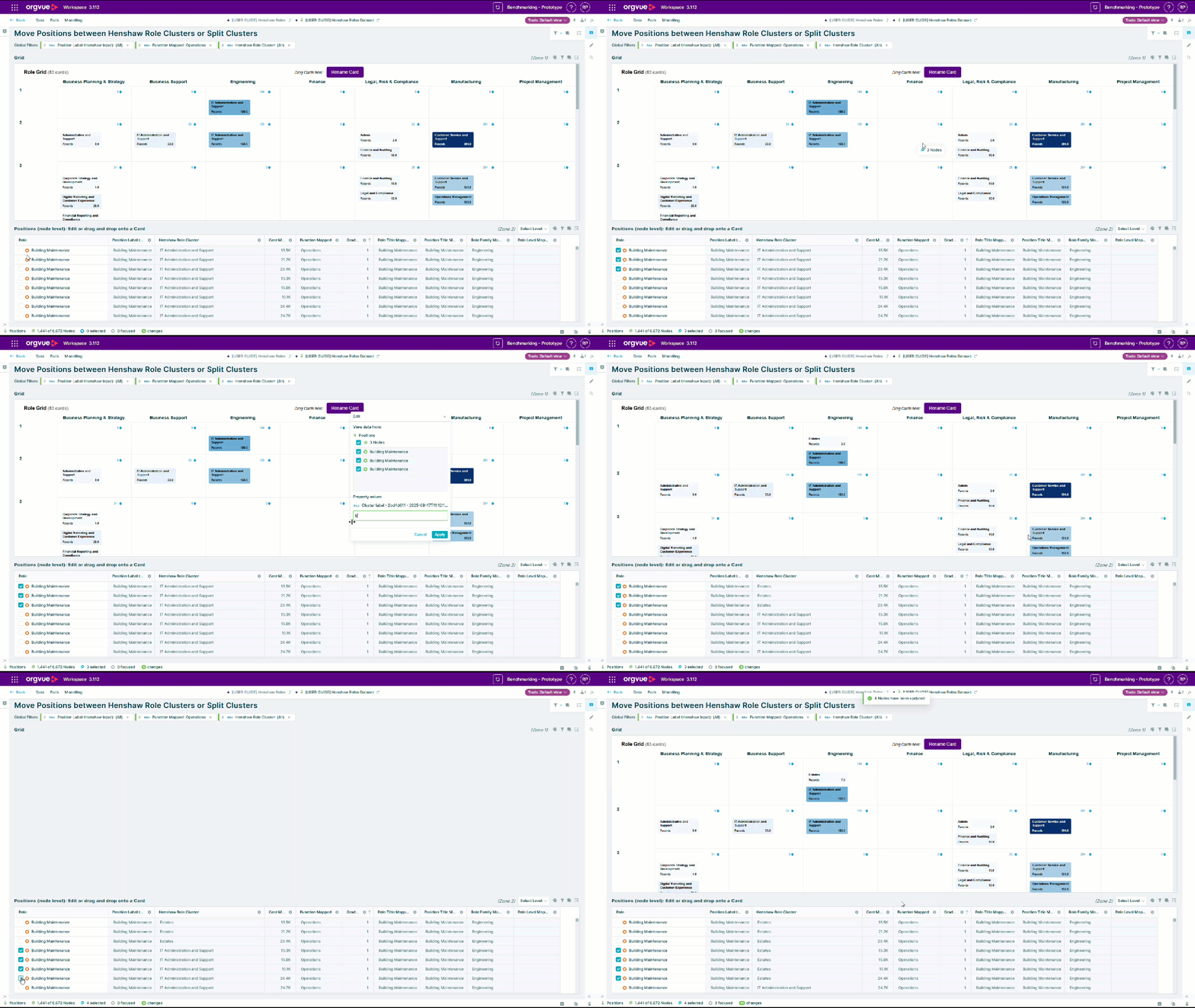
Chart Axis
The axis for both slides 6 & 7 is set up using the default axis property which is based on the properties mapped on The Set Up Slide in priority order
| AXIS / Priority Order | Vertical | Horizontal |
|---|---|---|
| Priority | Role Level | Job Family |
| Secondary | Grade | Function |
| Fallback | Records | Records |
However you may also use the slide controls to select any other property in your dataset to display as the chart axis
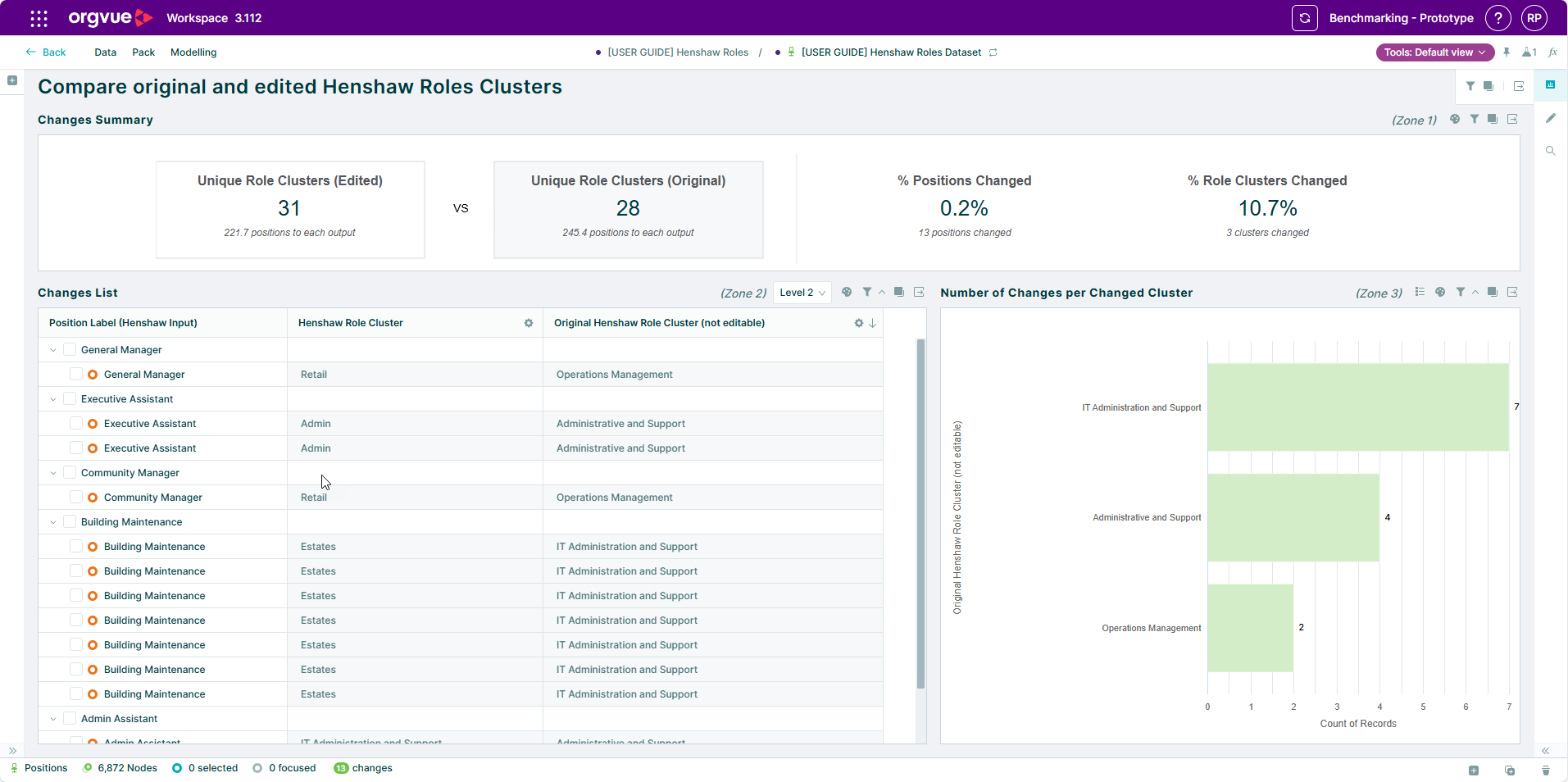
Compare original and edited Henshaw Roles Clusters
View a summary of the changes made in this pack by comparing original and edited Henshaw Role Clusters