Henshaw Data Cleaning
Henshaw data cleaning is an opt-in feature. If it's not available in your tenant, contact your account manager to have it enabled.
Henshaw AI data cleaning scans your properties and suggests fixes, you stay in control throughout. We don't make any changes without your approval.
What we check
- Only text type properties are checked
- (PII) detection: We scan text properties for possible personally identifiable information (PII).
- Value consistency: We identify grouped values that may be inconsistent or duplicated.
- Suggested fixes: We generate recommendations with reasoning and a confidence rating for you to review.
How the scan works
The scan runs automatically in 4 stages:
- Selecting eligible properties: Henshaw identifies text-based properties with simple, self-contained values — excluding calculations, linked or generated properties, and any with too many unique values.
- Checking for PII: Henshaw scans eligible properties for personally identifiable information (PII). Step 1 filters out many candidates before this stage.
- Scanning values: Henshaw identifies grouped values that may be inconsistent or duplicate.
- Preparing suggestions: Henshaw generates fixes with reasoning and confidence ratings for your review.
Once complete, you'll see a list of suggestions to review. Apply the ones you want, nothing in your data changes until you confirm it.
Running Henshaw Data Cleaning
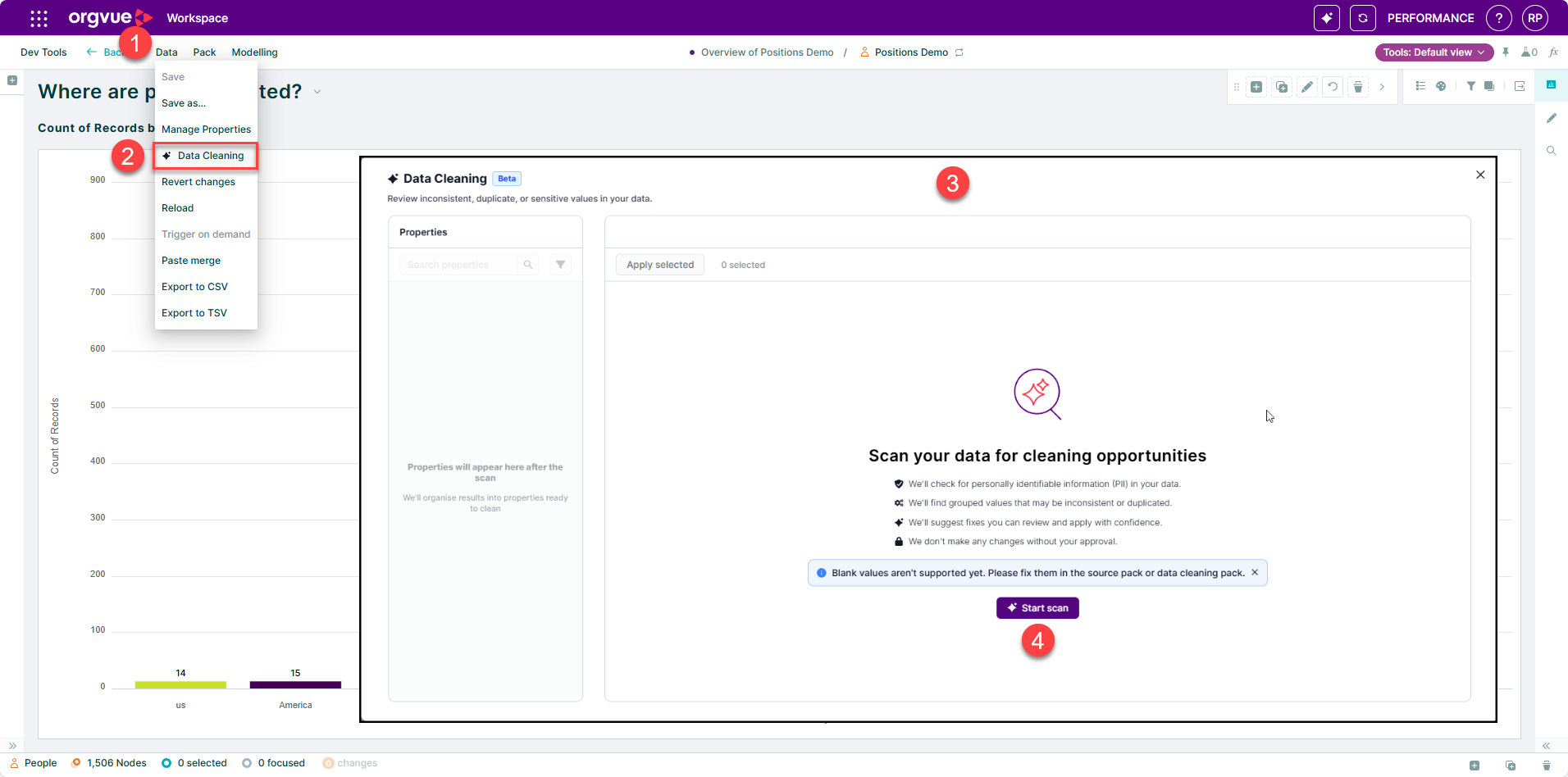
- Open the Data menu
- Select the Data Cleaning Option
- To open the Data Cleaning panel
- Select "Start scan" button
Personally Identifiable Information (PII)
PII is any data that can identify a specific individual, either on its own or in combination with other data.
Henshaw Cleaner runs a PII detection engine across all distinct values in each property, flagging personal information such as names, locations, postal addresses, emails, phone numbers, banking details, and more.
Henshaw Cleaner won't scan or clean any property it identifies as containing PII.
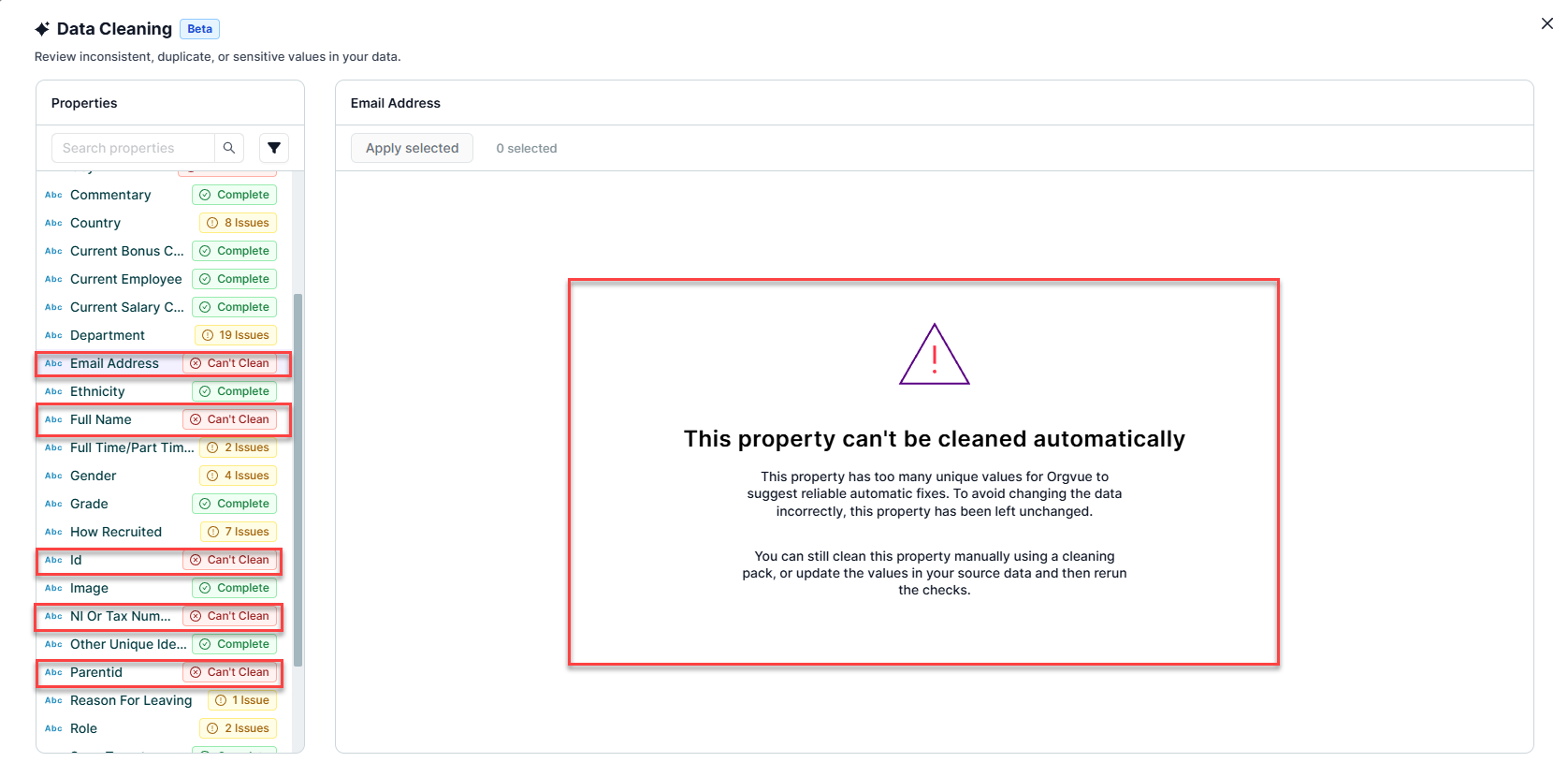
What Cant Be Cleaned Automatically?
Henshaw Cleaner cannot clean number, date or boolean type properties and these properties will not appear in scanned properties list.
Any text properties that contain expressions or multiple unique values such as email address or employee id will be flagged as "Cant Clean"
Cleaning Data with Henshaw
After Henshaw scans your dataset properties, it flags any it Cant Clean or that contain PII. Each remaining text property is then marked as one of the following:
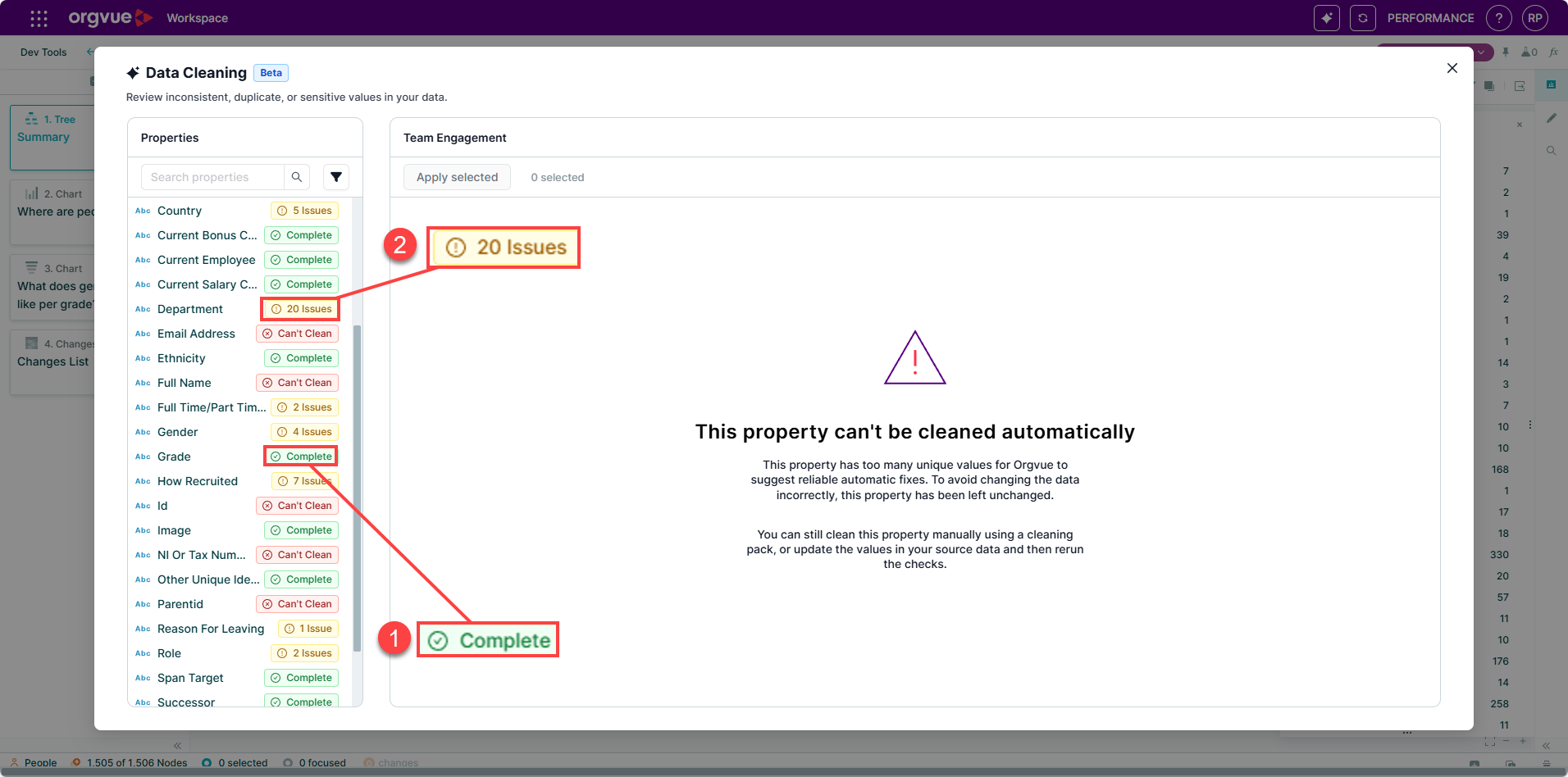
- Complete — no issues found
- Number issues — the count of issues identified
When you select a property with flagged issues, Henshaw groups values that share the same suggested fix. Click Apply to update them.
To change the suggested fix for any value, select a different option from the dropdown.
Values with no suggested fix appear in the Values to review area. Expand this section to view each value and select a fix from the dropdown.
Any values without a selected fix won't be updated.
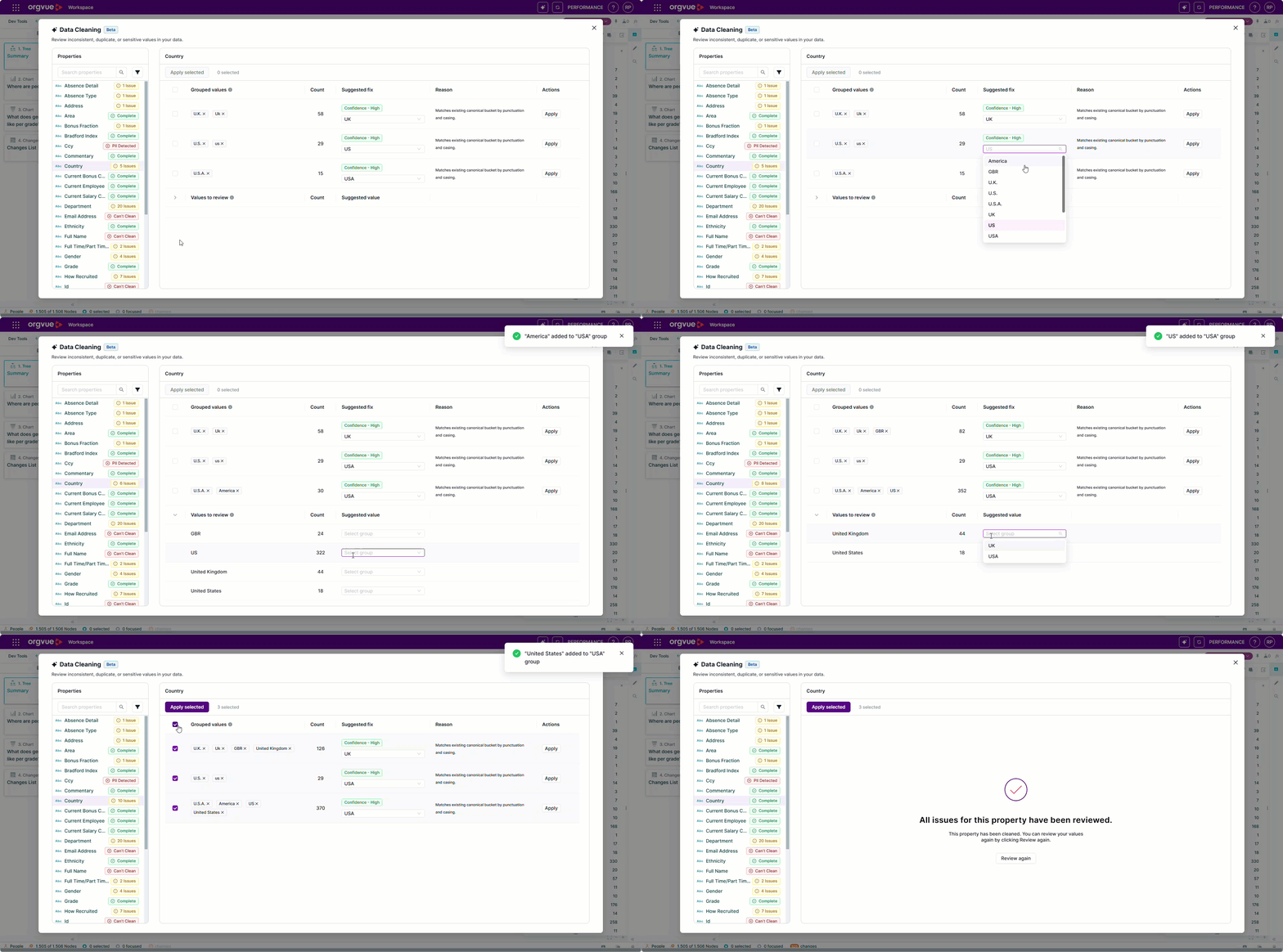
After applying fixes save your dataset to permanently apply changes made