Henshaw Assistant
This first version of Henshaw Assistant is focused on helping users explore and understand their workforce data through natural language interaction
It enables you to ask questions, uncover insights, and interpret trends without needing complex analysis skills or manual data manipulation
Acting as your personal AI data partner, Henshaw can query large datasets, summarize findings, and answer real-time questions about workforce structure and performance
By supporting conversational, back-and-forth queries, it allows you to refine your requests for greater accuracy; transforming static dashboards into a more dynamic, interactive way of exploring your data
Henshaw is read-only: It cannot make any changes to your data.
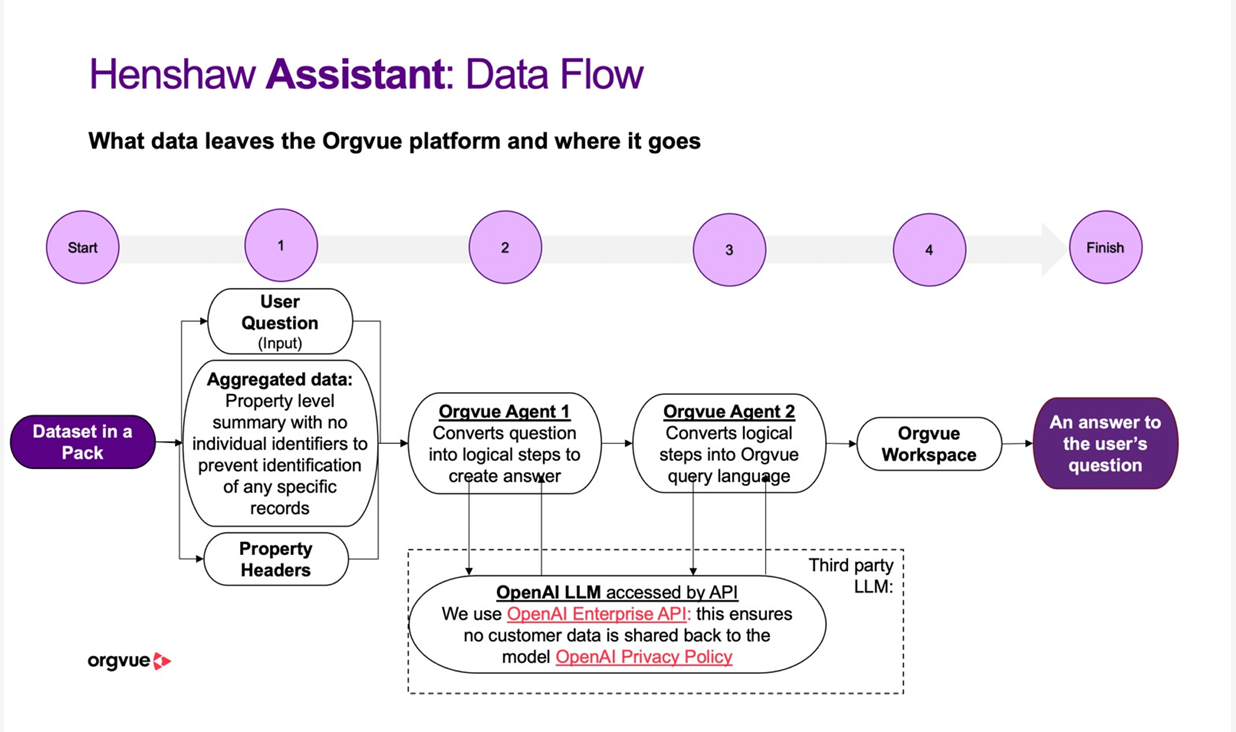
Henshaw Assistant Data Flow
What can Henshaw do?
Henshaw is designed to help you explore and understand your workforce data using natural language
You can ask analytical questions such as:
- “Show headcount by department”
- “Summarize average salary by level”
- “Compare total cost per employee across functions”
Henshaw interprets your question, converts it into Orgvue’s Property Query Language (PQL), and runs the analysis securely within your dataset
When you ask a question, Henshaw only analyses the data in the pack you currently have open in Orgvue. This ensures results are relevant and data remains secure
You can ask follow-up questions to refine or extend your analysis without starting over For example:
- “Now show only permanent staff.”
- “Add total cost to that table.”
This lets you explore your data step by step, just like a conversation with a data analyst.
Henshaw is bound by the same permissions as the user asking the question so Henshaw is unable to access any data that you do not have permission to access
How to use Henshaw
Henshaw is available to use by selecting the button on the header bar in any pack once opened
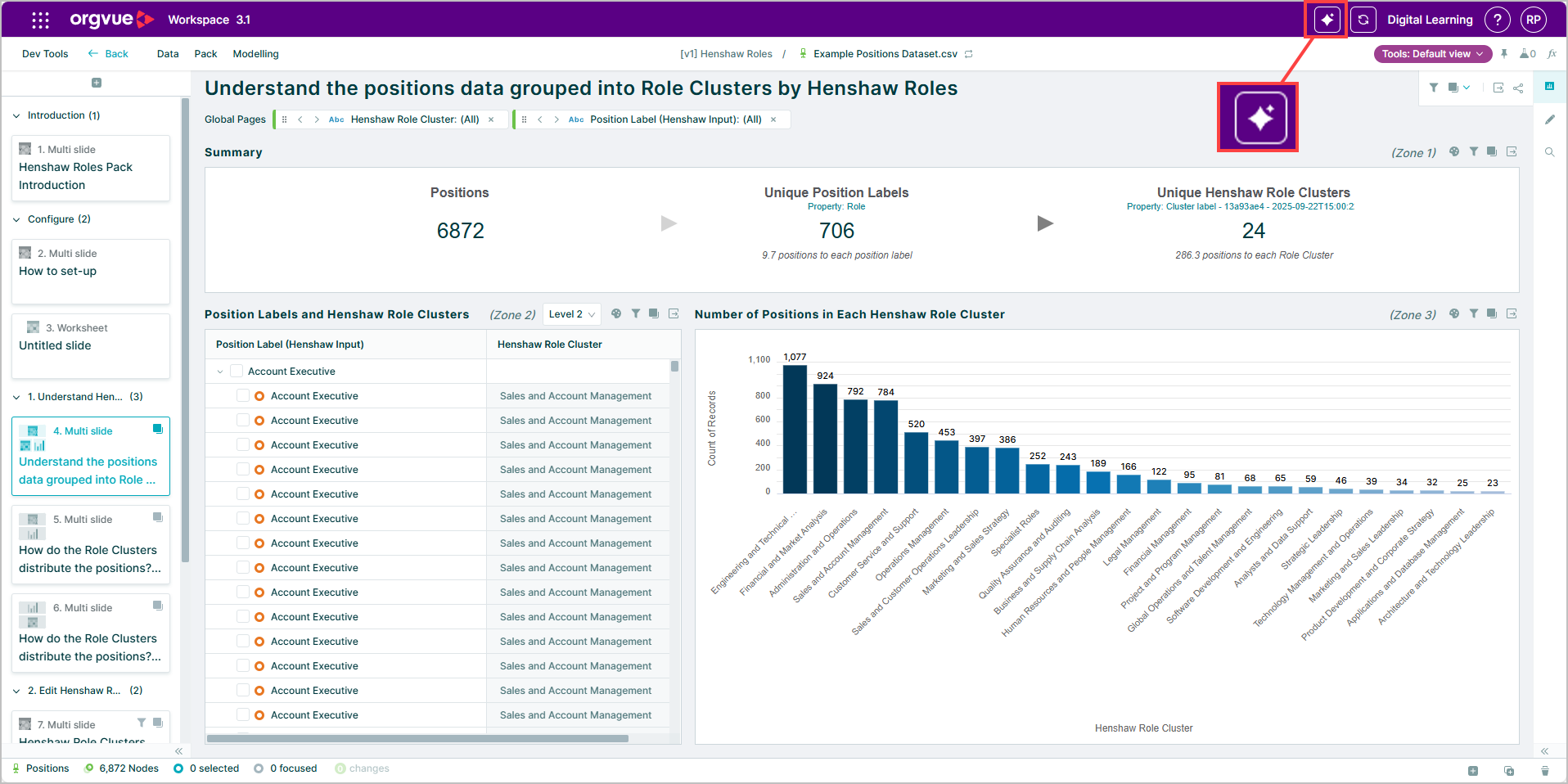
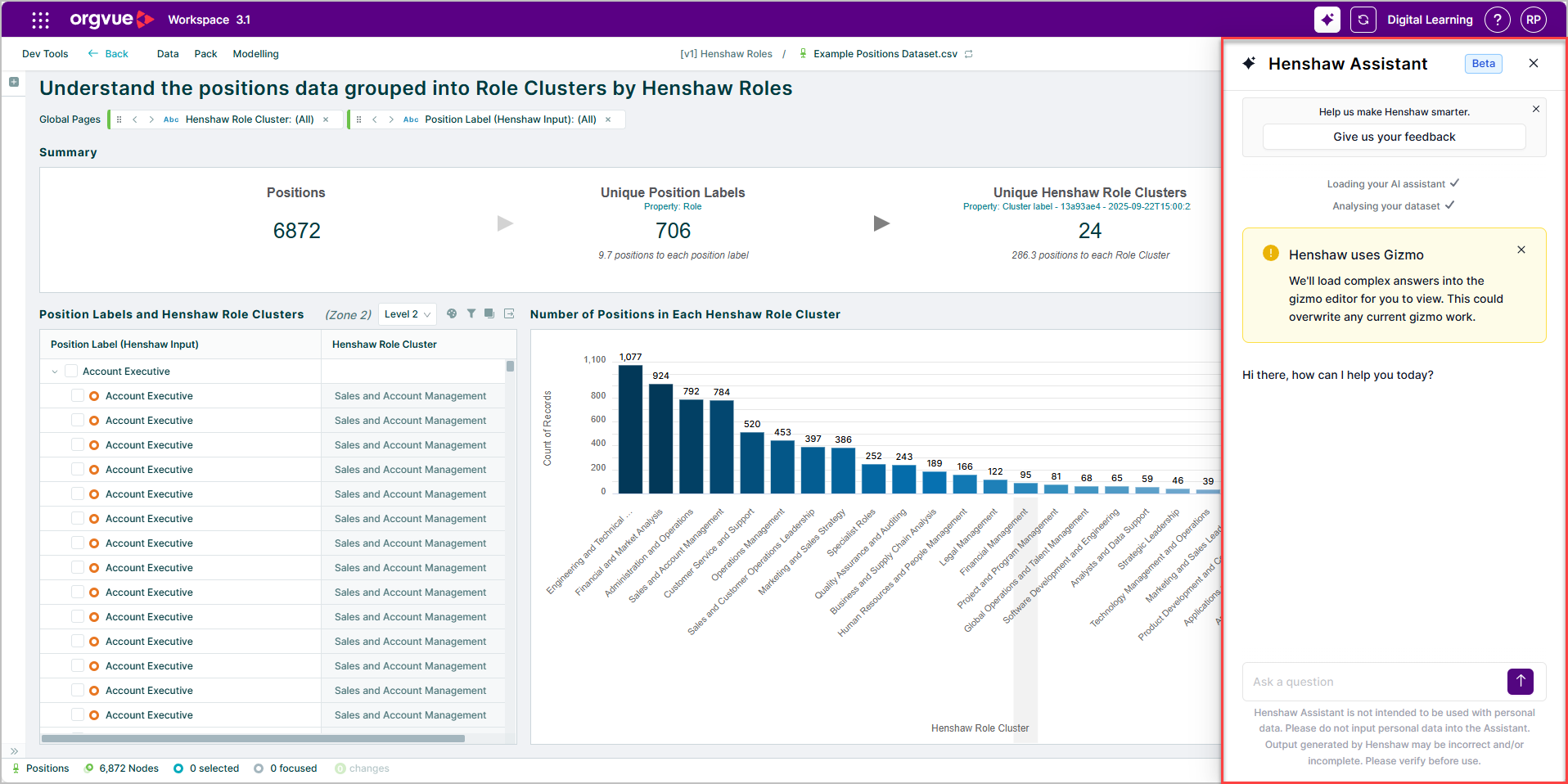
This will open the Assistant side panel and Henshaw will analyze your dataset ready to provide answers for you.
Answers provided by Henshaw in the assistant side panel are evaluated pre filter whilst the results shown within the Gizmo editor will be evaluated after any filters are applied to the data
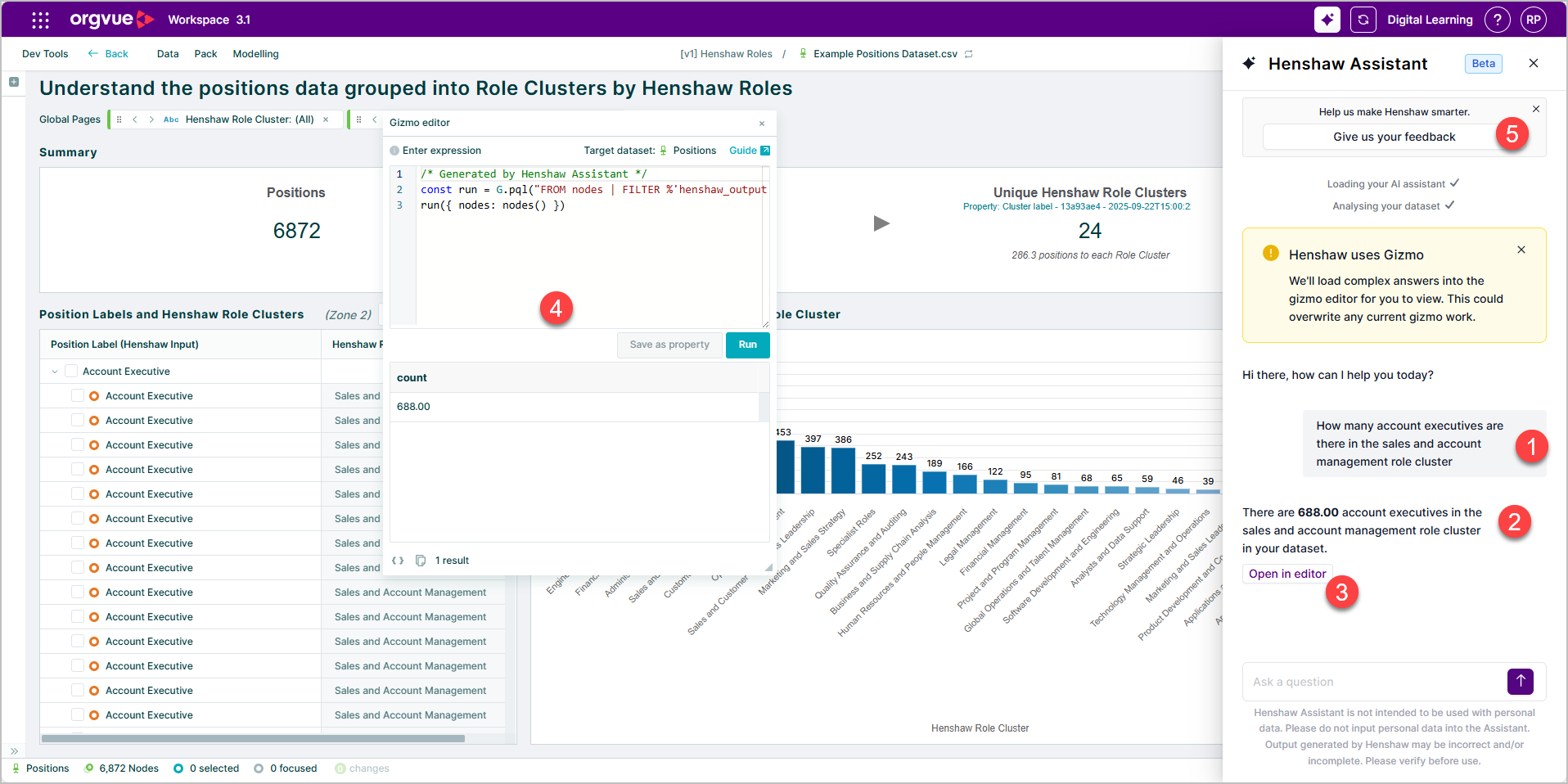
- Type in your question following the prompting best practice
- Henshaw will analyze your question and provide its best answer
- Select the Open in editor button
- The Gizmo editor will open and the gizmo script Henshaw used to answer your question will be shown
- Use the Give us your feedback to provide feedback on how Henshaw did
Henshaw does not have a history or memory function. This means that if you exit from the pack or close your browser tab, your conversation will not be saved. However, during an active session, Henshaw can reference and build on the questions you’ve already asked, allowing for a continuous, conversational flow within that session.
What Henshaw Can’t Do (Yet)?
In its first iteration Henshaw does have limitations on its abilities:
Analyze Multiple Datasets at Once
Henshaw can only work with the data you have open in one pack at a time. You’ll need to switch datasets in Orgvue if you want to ask questions about another data source.
Access or Modify Your Data
Henshaw cannot view, edit, delete, or combine data outside of your open dataset. It also does not have the ability to store or retain your information after the session.
Understand Manipulations in App
In the first version, Henshaw will not be aware of any visuals, filters or selections you make in Orgvue. Its responses will be agnostic of this.
Use or Learn from Your Queries
Your data and queries are not used to train any models. Neither Orgvue nor OpenAI retains or learns from what you enter. Henshaw operates securely within the Orgvue environment using non-identifiable, aggregated data.
Answer Non-Analytical or Non-Data Questions
Henshaw’s Early Access release is focused solely on workforce data analysis.
It cannot perform unrelated tasks such as writing content, explaining company policies, or generating general knowledge answers.
Interpret Time-Based Trends or Historical Comparisons
Orgvue datasets are snapshots in time. Henshaw cannot yet perform longitudinal analysis (for example, “compare headcount over the last five years”).
Future versions may include time-series support.
Provide Visual Outputs Automatically
While Henshaw returns data summaries and text-based insights, it does not currently generate charts or visual dashboards automatically.
You can, however, use its results to guide what visuals to build within Orgvue.
Remember Previous Conversations
In this Early Access version, Henshaw does not have a history or memory function.
This means that if you exit from the pack or close your browser tab, your conversation will not be saved.
However, during an active session, Henshaw can reference and build on the questions you’ve already asked, allowing for a continuous, conversational flow within that session.
Guarantee 100% Accuracy
During Early Access, Henshaw’s target accuracy is around 70%. This means some responses may be incomplete or slightly off.
Always validate findings against your source data or dashboards before making decisions.