Parent By
When working in hierarchical datasets it is possible to change the Id property used to Parent by and therefore display different hierarchy structures
The default parent ID may be set for a dataset in settings on the dataset metadata screen
See for more details
It is also possible to select the Parent by ID in workspace to allow the display of different structure if you have more than one available in your dataset
To select the ID to Parent by:
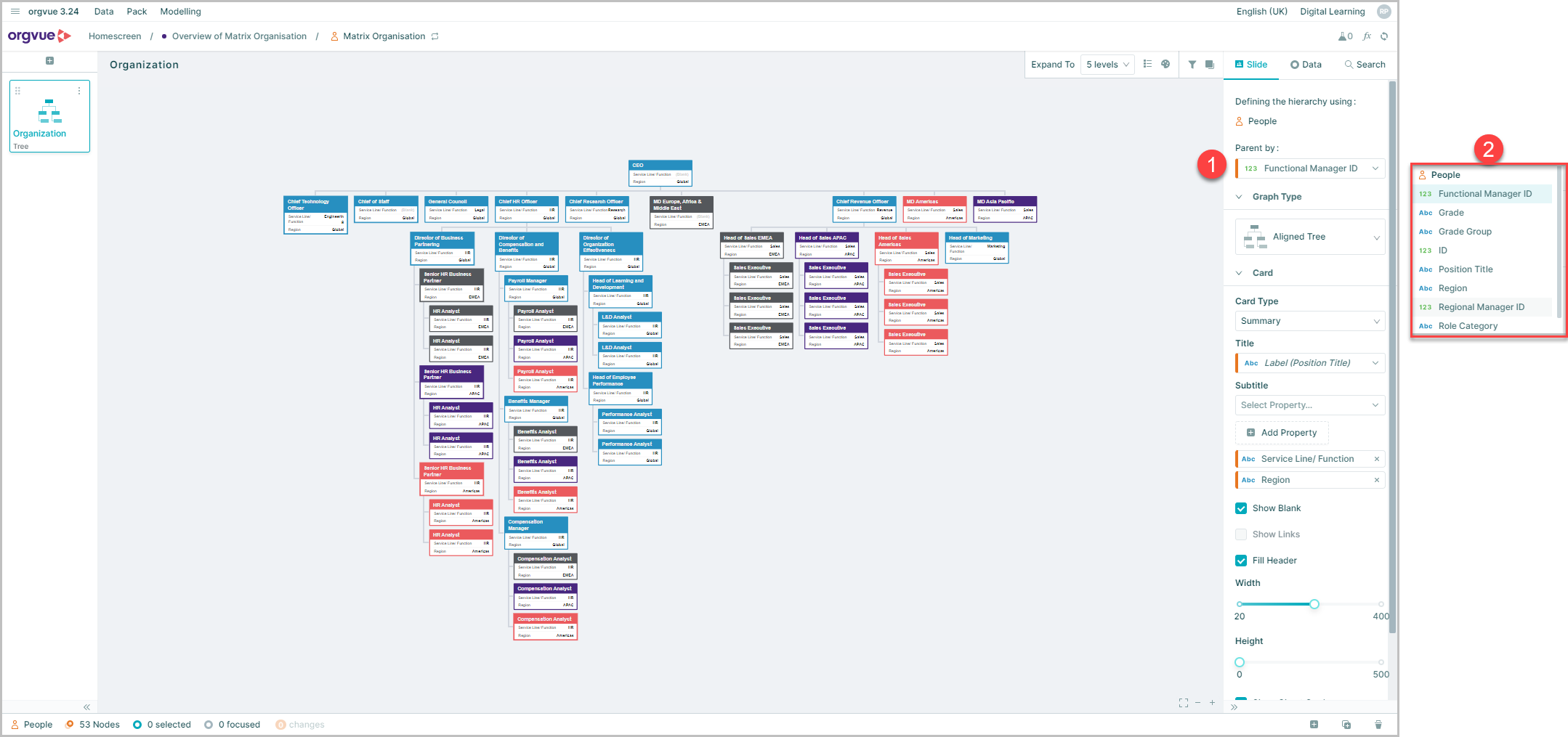
- Select the
Parent byoption to open the property selection panel - Select the required property from the dropdown list
This will re-draw the hierarchy you can see using the parent property you have selected as demonstrated below and all the calculations which rely on your hierarchy for that slide (e.g. Span & Depth) will be updated
Switching Hierarchies is available on all slides except Changes List
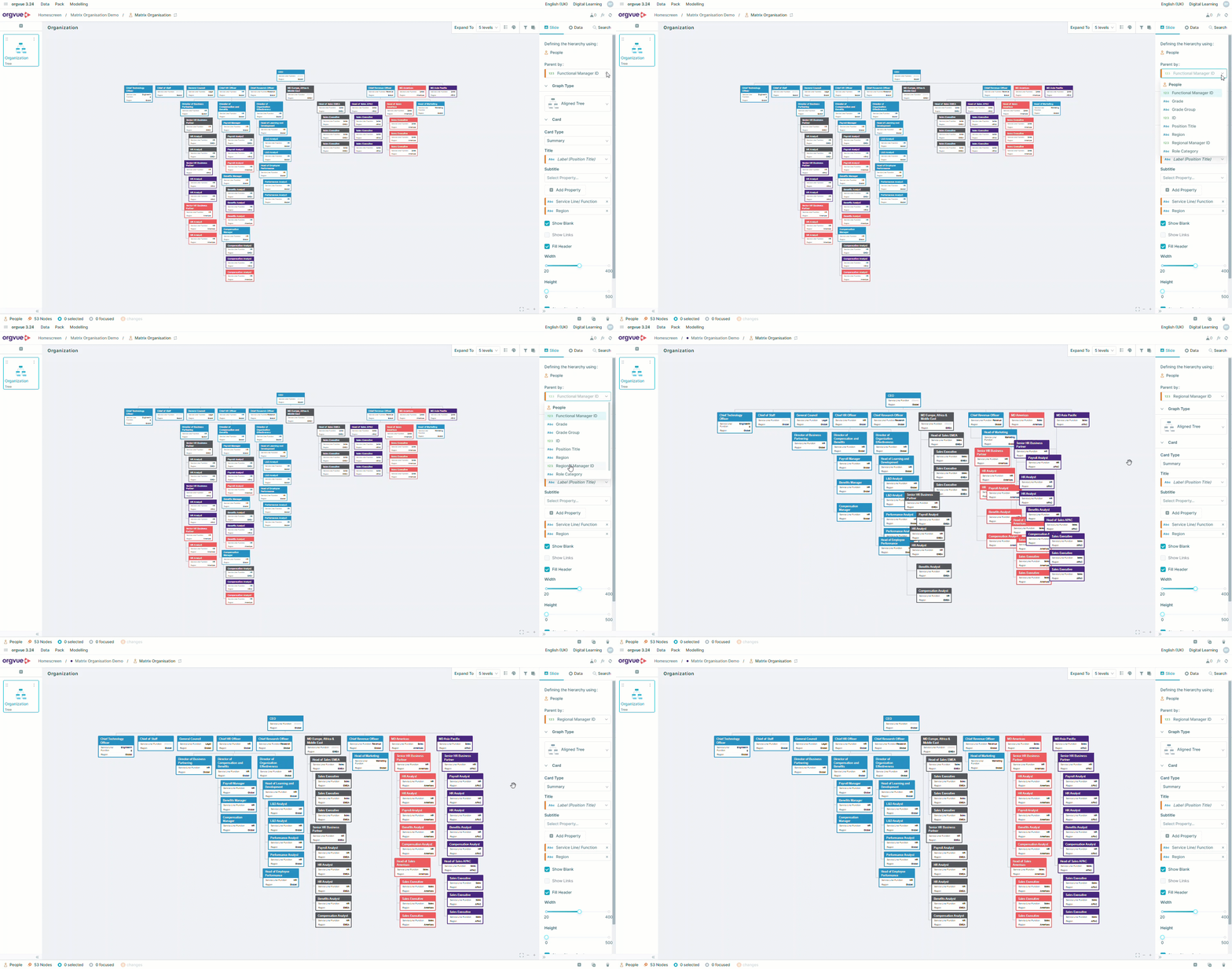
To view a video on Switching Hierarchies click the thumbnail to open the video in a new browser tab