API Token (Legacy)
API tokens are the legacy method of authentication for API requests. Existing API tokens will continue to work, but shouldn't be used for new API requests. Use OAuth client credentials instead.
API Tokens
An API token is a static key tied to a specific Orgvue user account.
Any API request made with that token acts on behalf of that user and inherits their permissions.
API tokens are simple to set up as users generate them directly from their account.
But their simplicity comes with limitations: they're long-lived, don't expire automatically, and are permanently invalidated if the associated user account is deactivated or deleted.
Enable token access for your Orgvue account
We use tokens to control authentication and access to the API.
These are unique credentials assigned to individual users. You can enable token access for your Orgvue account by following these steps:
| Server | Orgvue Settings Url |
|---|---|
| EU West | https://orgvue.eu-west-1.concentra.io/app/configui |
| US East | https://orgvue.us-east-1.concentra.io/app/configui |
| AP SouthEast | https://orgvue.ap-southeast-2.concentra.io/app/configui |
| EU West - Staging | https://orgvue-staging.eu-west-1.concentra.io/app/configui |
| US East - Staging | https://orgvue-staging.us-east-1.concentra.io/app/configui |
| AP SouthEast - Staging | https://orgvue-staging.ap-southeast-2.concentra.io/app/configui |
- Head to the Orgvue settings app for your server environment listed in the above table
- Navigate to the Users List:
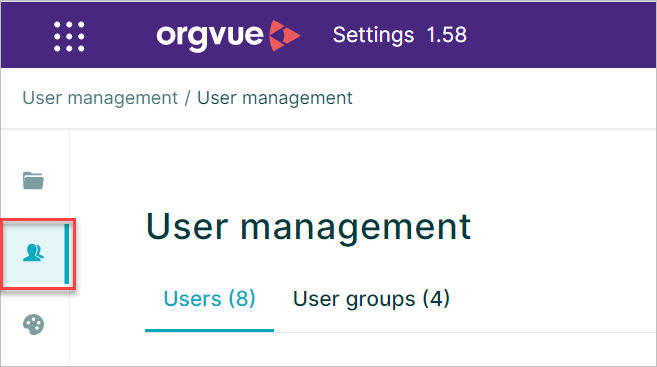
- Select your user account and click on the Edit button.
- Make sure
TokenAccessis enabled for your account:

- Remember to save your changes.
TokenAccess is a standard property for the Users List in all new Tenants, but may need to be added by an admin for existing Tenants. Note that the TokenAccess key is case-sensitive, so must be created as shown.
Produce a token for your network address
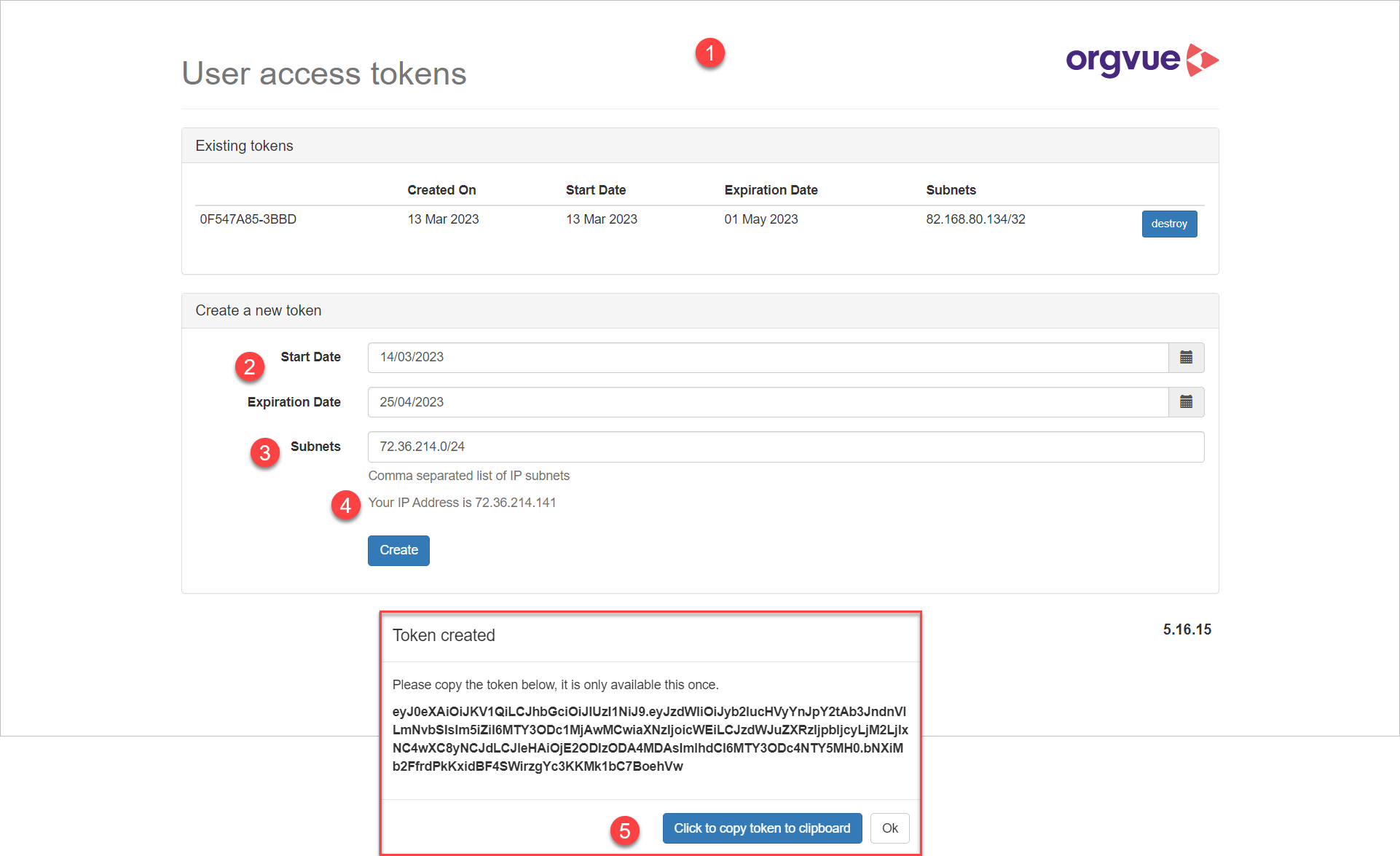
To create an API token:
| Server | Tokens Management Url |
|---|---|
| EU West | https://orgvue.eu-west-1.concentra.io/tokens |
| US East | https://orgvue.us-east-1.concentra.io/tokens |
| AP SouthEast | https://orgvue.ap-southeast-2.concentra.io/tokens |
| EU West - Staging | https://orgvue-staging.eu-west-1.concentra.io/tokens |
| US East - Staging | https://orgvue-staging.us-east-1.concentra.io/tokens |
| AP SouthEast - Staging | https://orgvue-staging.ap-southeast-2.concentra.io/tokens |
- Go to the token management page for your server environment listed in the above table
- Provide the start and end dates for your new token.
- Set the
Subnetsfield, which controls the range of IP addresses from which the generated token can be used, to your current IP address to restrict use of the token to your current network location. Dynamic IP ranges may be entered as a comma separated list of Classless Inter Domain Routing(CIDR) ranges - Your current IP address will be displayed for information
- Create your token, and make sure to copy it as you will not be able to view it again.
IP access restrictions
When accessing data stored in Orgvue, your account, tenant or token may be subject to restrictions around the originating source IP address.
If your attempt to access data is forbidden by an IP restriction access policy, you will receive an error message: